
You found the perfect statement pillows. The reviews are glowing. The photo looks incredible... on someone else's bed. But will they look right on YOUR bed, in YOUR room, with YOUR headboard?
Here's the truth: most of us can't visualize it until we see it. And by the time we see it - after buying, unboxing, staging, stepping back - we've already lost the return window.
There's a better way. And it involves a free AI image tool called Ideogram, a little Canva magic, and about 20 minutes of your time.
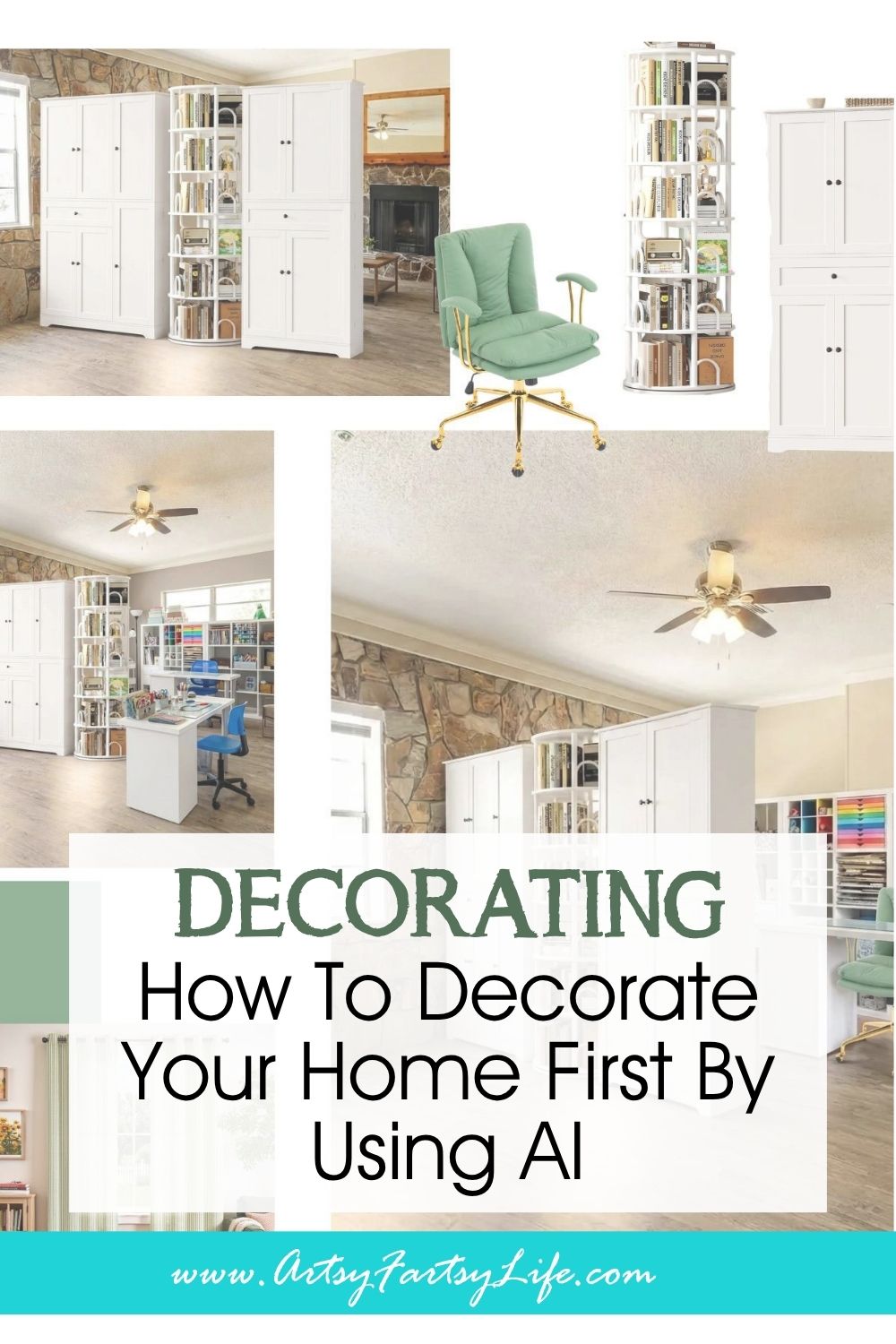
What If You Could See It Before You Spent It?
Virtual staging used to be for real estate agents with big budgets and 3D software. Not anymore.
Today, you can take a photo of your actual room - your real bed, your real sofa, your real space - and use AI to swap in new pillows, rugs, furniture arrangements... even full room dividers made of IKEA units. Before you drive to the store. Before you order online. Before you commit.
This changes everything about the way you shop for your home.
I'm going to show you three real examples of how this works - and then, if you want the step-by-step walkthrough (how to write the prompts, how to swap elements in Canva, the whole process), there's a course for that!
Example One: The Bed Pillow Decision
This is the one that started it all for me.
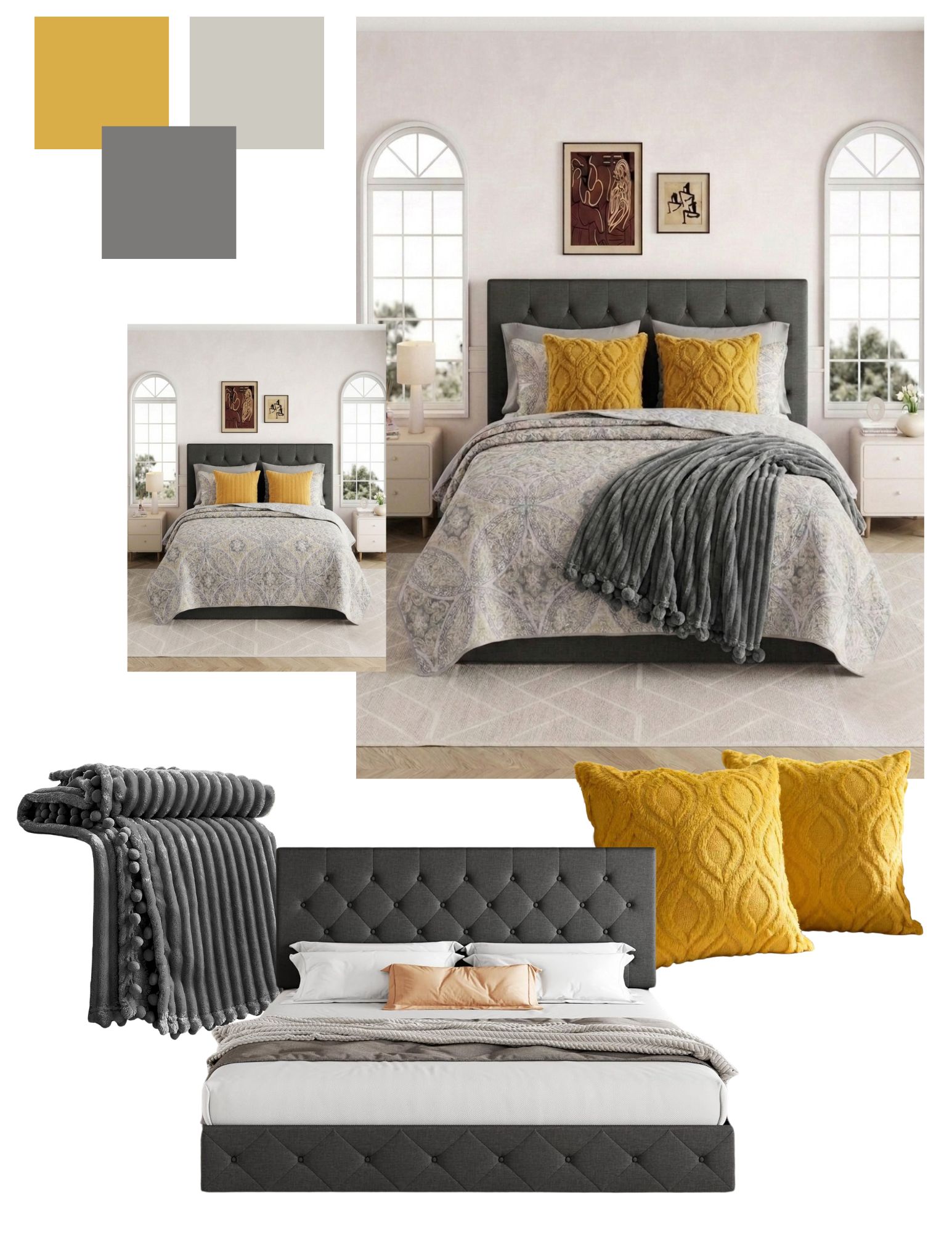
I was styling the primary bedroom in our rental and could not decide between two pillow looks - a big square pillow situation versus woven decorative with a bolder presence. Both looked gorgeous online. Both were in the running.
Old me would have ordered both, kept one, returned the other, and spent a week living with cardboard boxes on my bed.
New me? I uploaded a photo of my dream bed to Ideogram including the exact two pillow styles, wrote a prompt saying to add the pillows to the pic, and got two side-by-side versions of my room - with my dream headboard, my dream bedding - showing me exactly how each one would feel.
I made my decision in ten minutes. No boxes. No returns. No regret!
Example Two: The Living Room Sofa Swap
The living room in a rental home is where most of us face the biggest visual challenge: builder-grade flooring, no fireplace surround to anchor the room, neutral walls we can't paint. Everything has to come from what we add.
For me, that meant the sofa was doing a lot of heavy lifting.
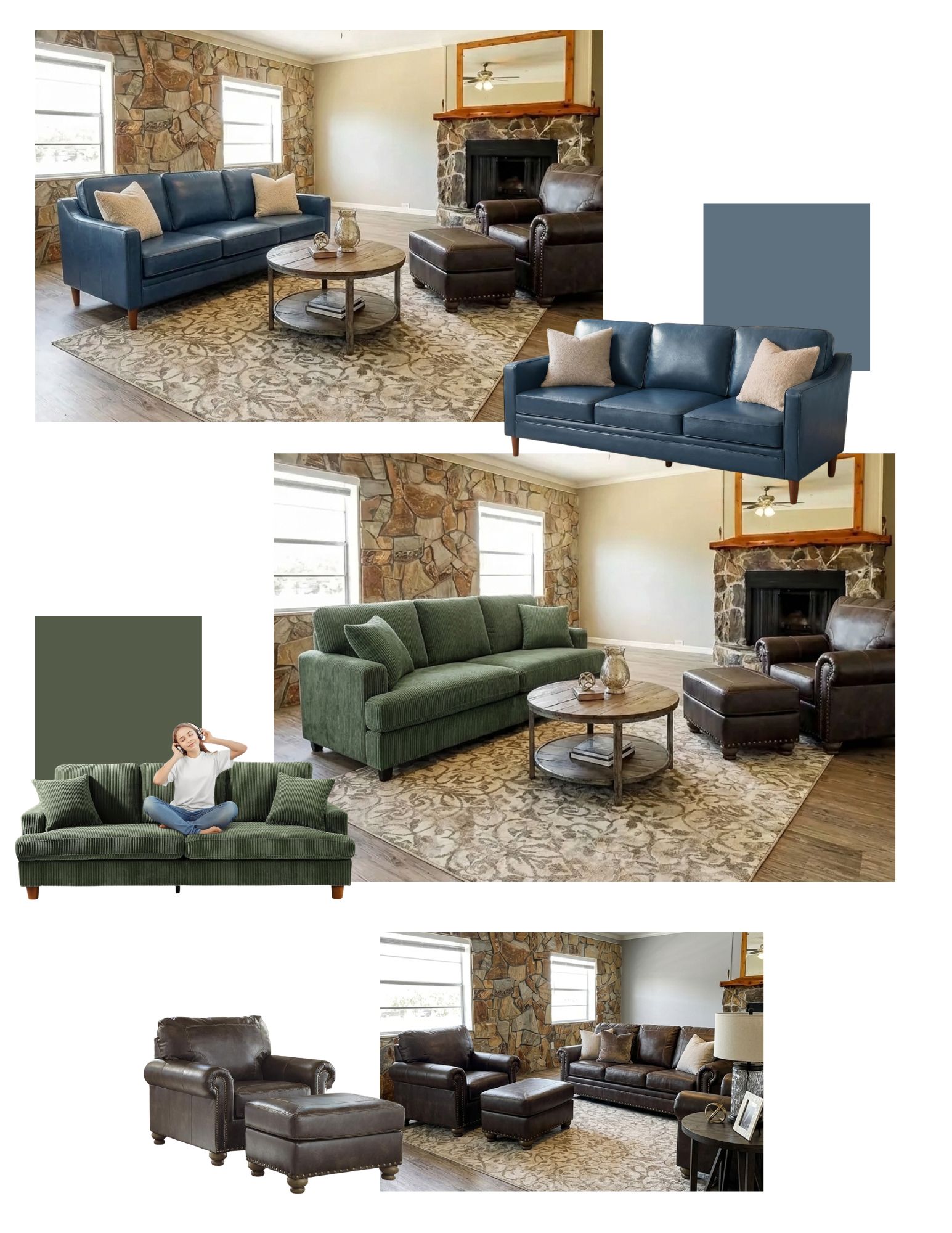
I had it narrowed down to two very different directions - a big leather one that matched the old man's chair versus a more tailored dark blue one. Both worked with the chair I brought from the old house. But together? Only one was going to work.
I uploaded my sofa photos and generated both versions. The big leather one was great, but it was super matchy-matchy and felt slightly 1980's den. The dark blue one? It opened the space up and felt actually designed rather than buying the whole "Rooms Are Us" set.
I would never have known that without seeing it. I was sure I wanted the leather one.
Example Three: The Big One - A Craft Room Furniture Layout
This is where virtual staging goes from "really useful" to "genuinely essential."
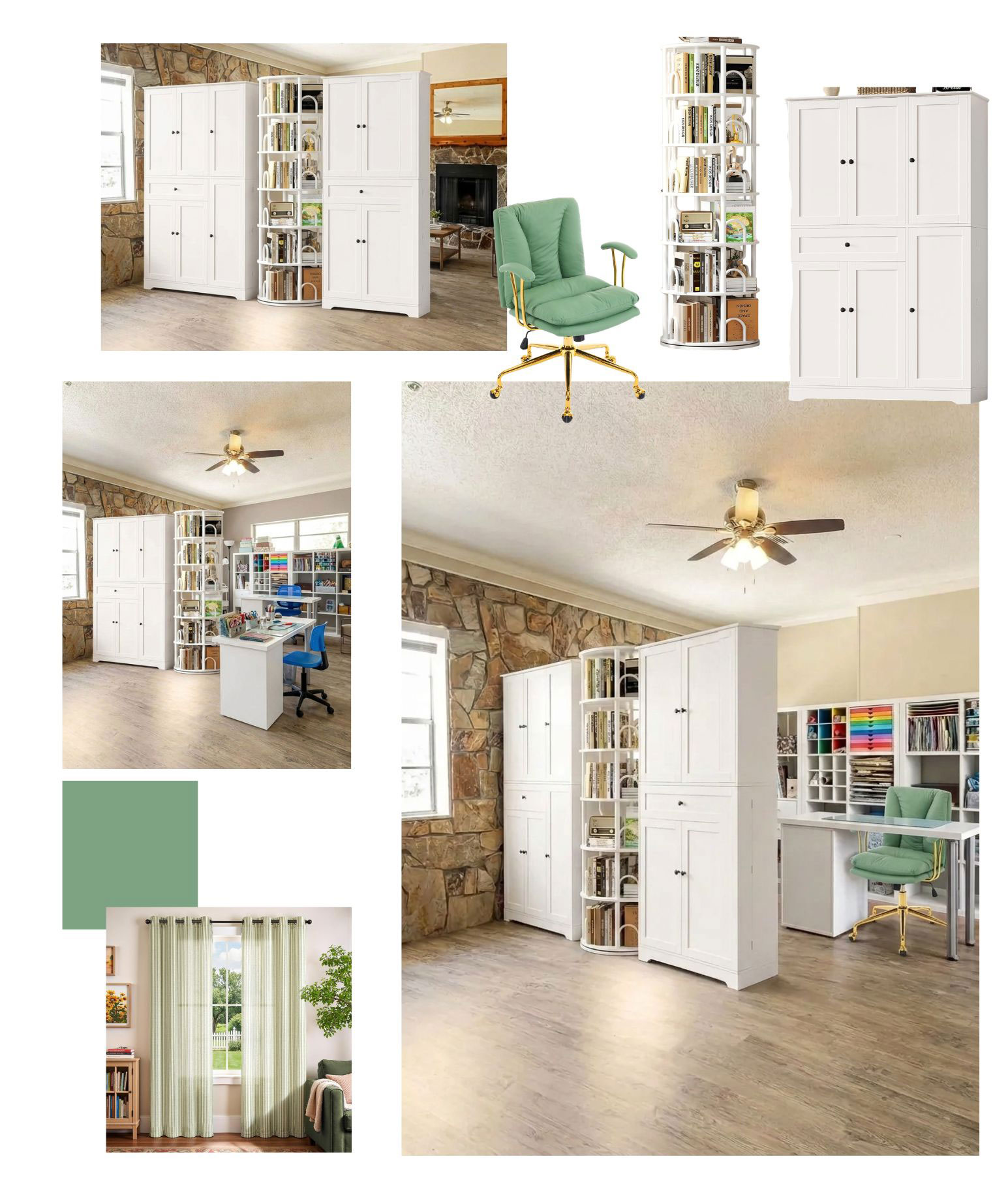
I have a craft room. I also have opinions about storage. And when I started thinking about using my old IKEA Kallax units paired with pantry-style cabinets as a room divider - essentially building a furniture wall between the crafting area and the rest of the space - I knew this was not a "try it and see" situation.
We're talking about multiple large pieces of furniture. Real money. Real effort. Real consequences if the proportions are off or the configuration blocks the light source.
So I virtually staged it first.
I generated renders showing different configurations - Kallax units by the wall, pantry cabinets creating the division, Kallaxes by the pantries - all using actual product pictures as the reference. I could see how the "wall" would feel from both sides of the room. I could see whether it would feel like a design choice or a storage problem in disguise.
The configuration I ended up choosing was not the one I thought I wanted going in.
The Part I'm Not Showing You Here
I'm showing you what is possible. I'm not walking you through how to do it - because that's a whole different kind of content.
To get results like the ones above, you need to know:
- How to photograph your room so the AI has enough to work with (you can use listings photos for this too!)
- How to write prompts that actually describe what you want (this part has a learning curve)
- How to prep your photo and layer the AI render over it
- How to iterate - because the first version is never the final version
- How to read the results and know when the AI got it right versus when to adjust
All of that is in the course. It's called Before You Buy It, See It: How to Virtually Stage Your Home With AI (And Stop Making Expensive Mistakes) and it walks you through the entire process from room photo to finished comparison render!
GET THE COURSE NOW!

Why This Matters More for a Rental Home
When you owned a home, a decorating mistake was recoverable. You could repaint. You could renovate. You could live with something for a year and replace it when the budget allowed.
In a rental, you're working with what you brought and what you can add - and the stakes of a wrong decision feel higher because your toolkit is smaller. You can't paint the walls if the pillows clash. You can't pull up the flooring if the rug doesn't work.
Virtual staging levels that playing field. It gives you the visual confidence to commit - or to change course before you've spent a dollar.
Your space is worth getting right. Ideogram and twenty minutes can help you do exactly that.
Ready to try it yourself? The course walks you through every step - from picking the right kind of product photo to writing prompts that get you results to using Canva to compare your options side by side.
Before You Buy It, See It... How to Virtually Stage Your Home With AI
(And Stop Making Expensive Mistakes)